






Feature
Designer
Create more flexible components and CMS pages
Hide and show elements dynamically with conditional visibility and simplify prop setup with suggested props.
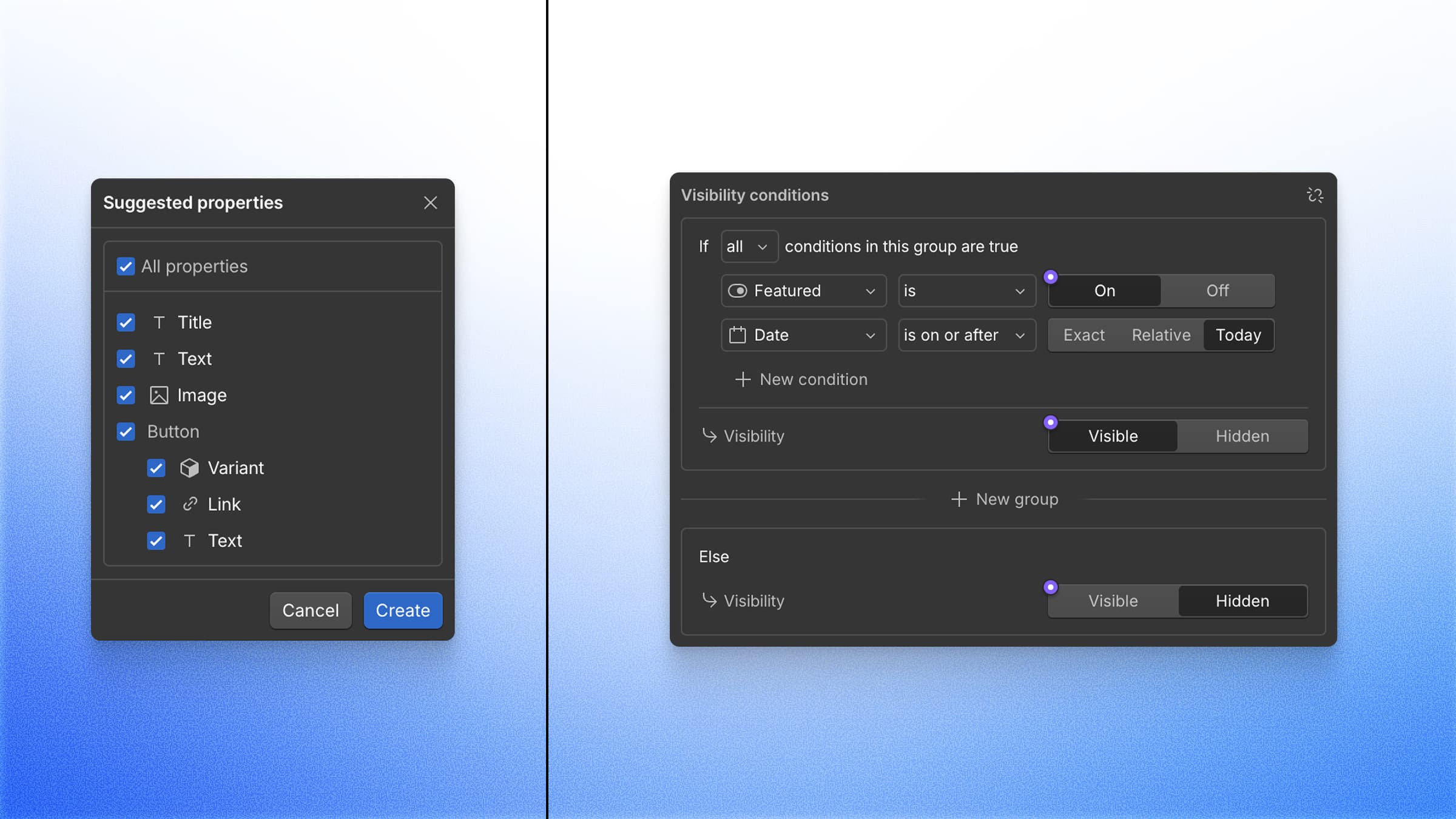
Today, we’re excited to release a bundle of highly requested features that make components and CMS pages more flexible, with less manual setup required.
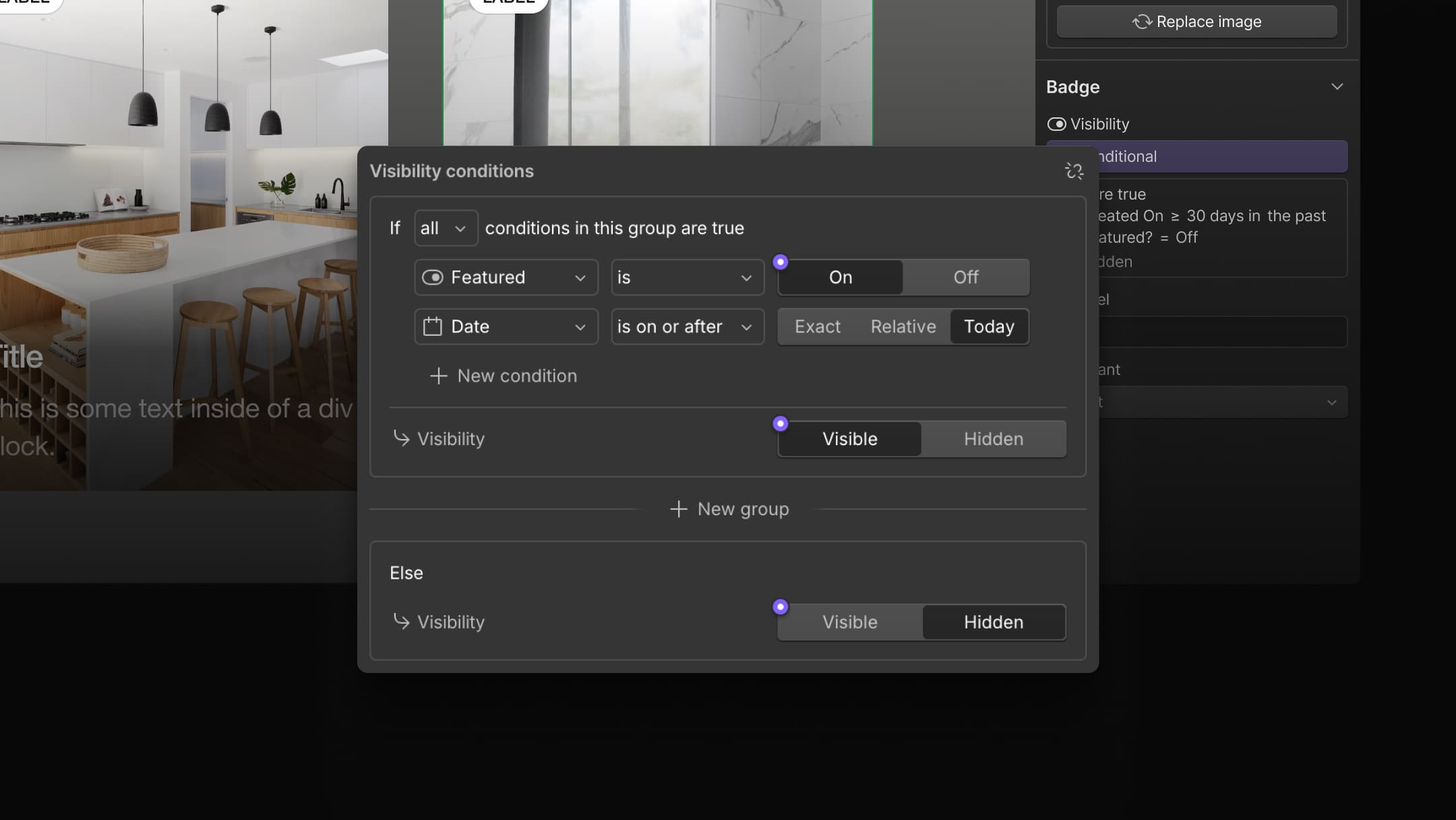
Conditional Visibility
Scalable design systems and CMS-driven pages depend on the ability to show and hide content dynamically. But until now, conditional logic has been limited and difficult to set up.
Conditional visibility has been completely reimagined, making it easy to show or hide elements with conditional logic using props, variants, CMS fields, or locale settings. With this release, we’re also introducing a new Switch prop type for components that need simple on/off values for conditional logic.
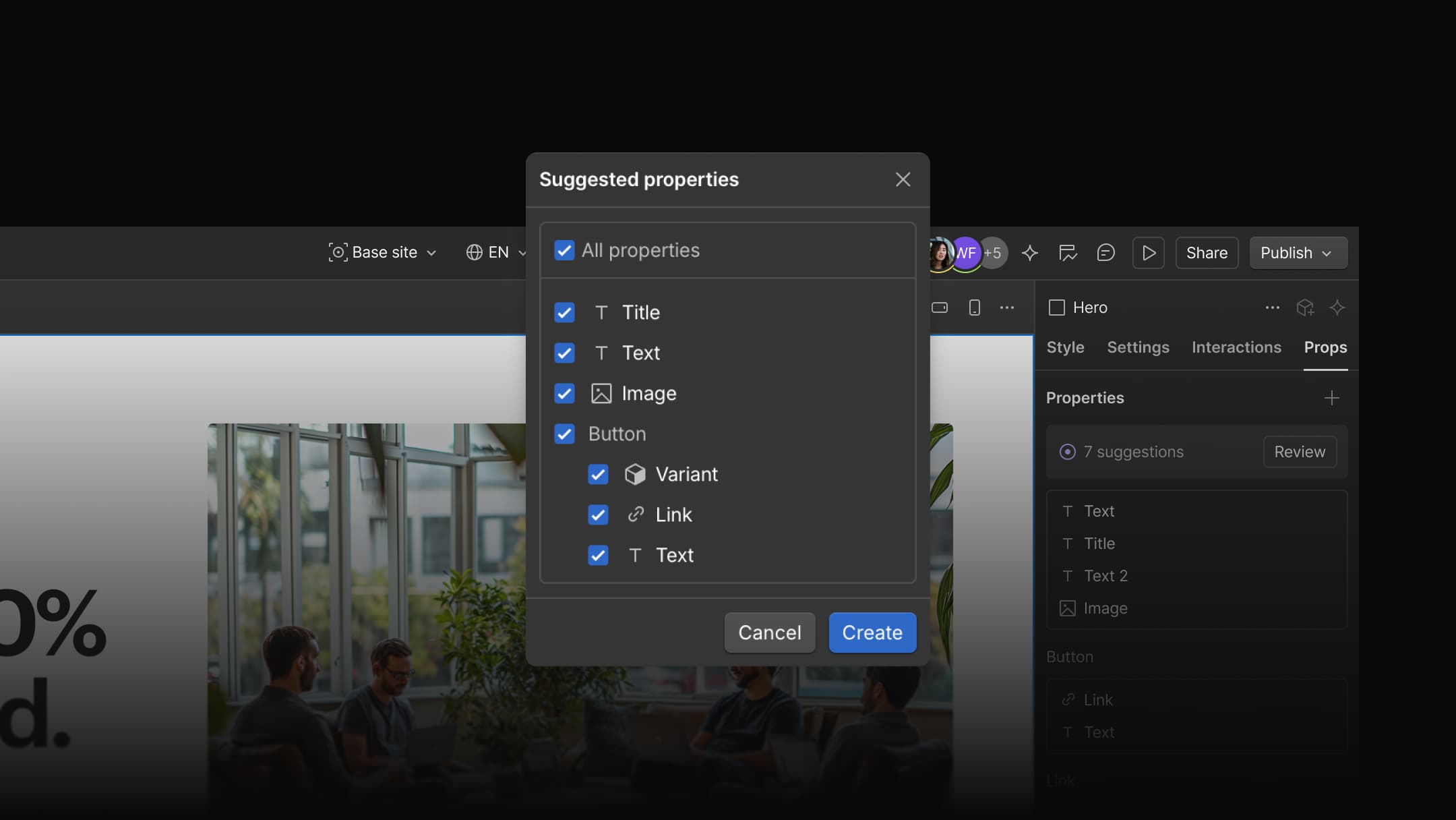
Suggested Props
Properties (props) are essential for building configurable, collaboration-ready components, but creating and naming them can be tedious and time-consuming.
Now, when you create or edit a component, Webflow automatically recommends props for common settings and nested instances. Simply review and accept the suggestions, and Webflow will create the props for you, making setup much faster. The Properties panel has also been elevated, making it easier to manage props on the main component.
These features will begin rolling out to all users today. To learn more, check out our documentation on conditional visibility and suggested props.
Related updates
.jpeg)
.jpeg)
.jpeg)




















Get started for free
Try Webflow for as long as you like with our free Starter plan. Purchase a paid Site plan to publish, host, and unlock additional features.
Try Webflow for as long as you like with our free Starter plan. Purchase a paid Site plan to publish, host, and unlock additional features.